Turn every trade into a clearer decision system
A polished, deeply interactive journal landing for traders who want to capture trades, review behavior, measure performance, and turn scattered screenshots into a repeatable edge.

Make the landing feel alive before the user signs up
A premium journal page should demonstrate the product behavior visually. These live-style widgets, parallax cards and motion details make the section feel active without adding heavy dependencies.
Reason, setup, screenshot and psychology are visually connected.
The landing shows how behavior and numbers become readable signals.
Each review ends with one clean next action for the trader.
A complete journal for performance, behavior, and trade review
This layout keeps the familiar Brokersift landing structure but adds richer motion, layered graphics, a live-demo system, persona simulation, and product-like interactions so the journal feels premium without becoming visually noisy. Every field remains editable from the page admin screen.
Trade logging
Capture entries, exits, symbols, size, side, screenshots, market context, and execution notes in one clean workflow.
Performance reports
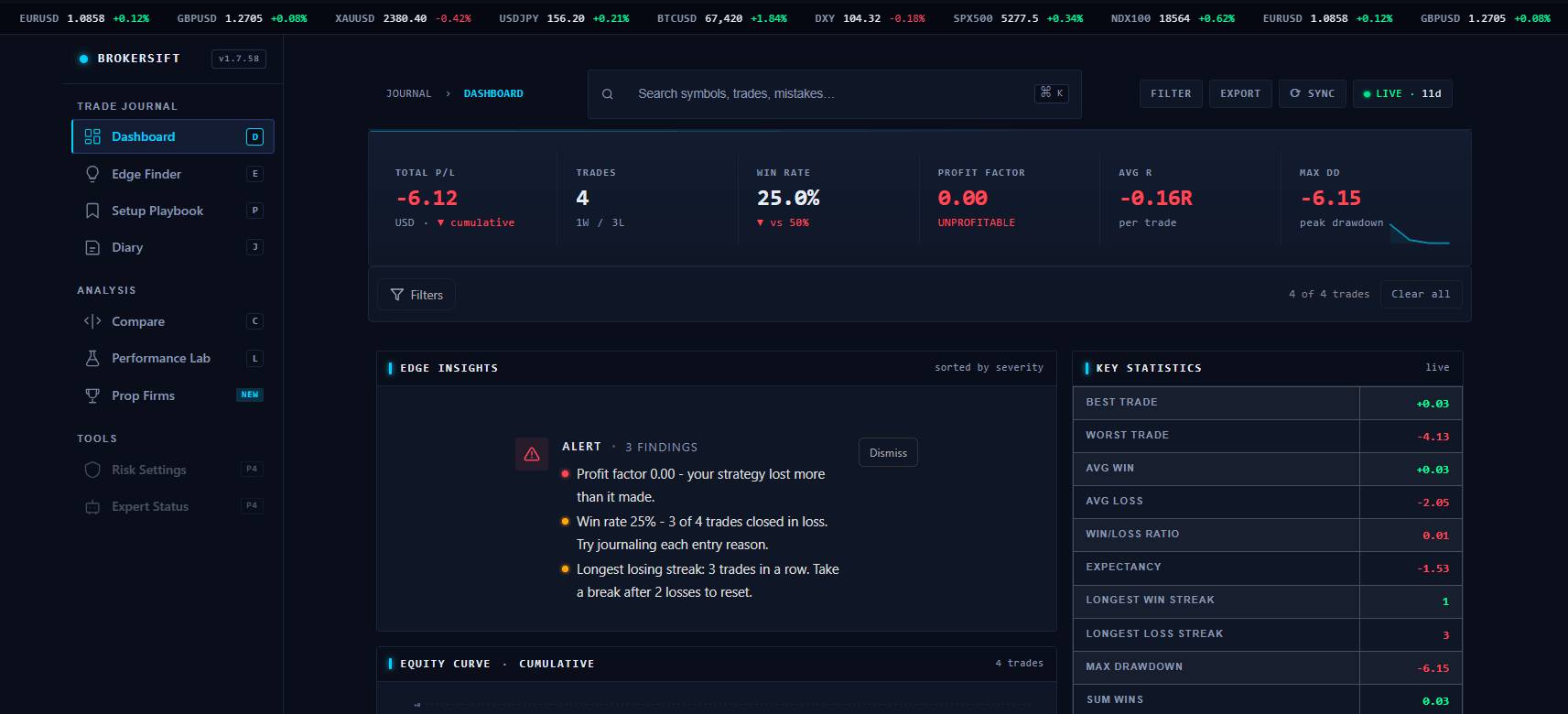
Review profit factor, win rate, average winner, average loser, time-of-day behavior, and instrument-level results.
Mistake tracking
Tag revenge trades, early exits, overtrading, missed rules, and repeated decision leaks so behavior becomes measurable.
Setup analysis
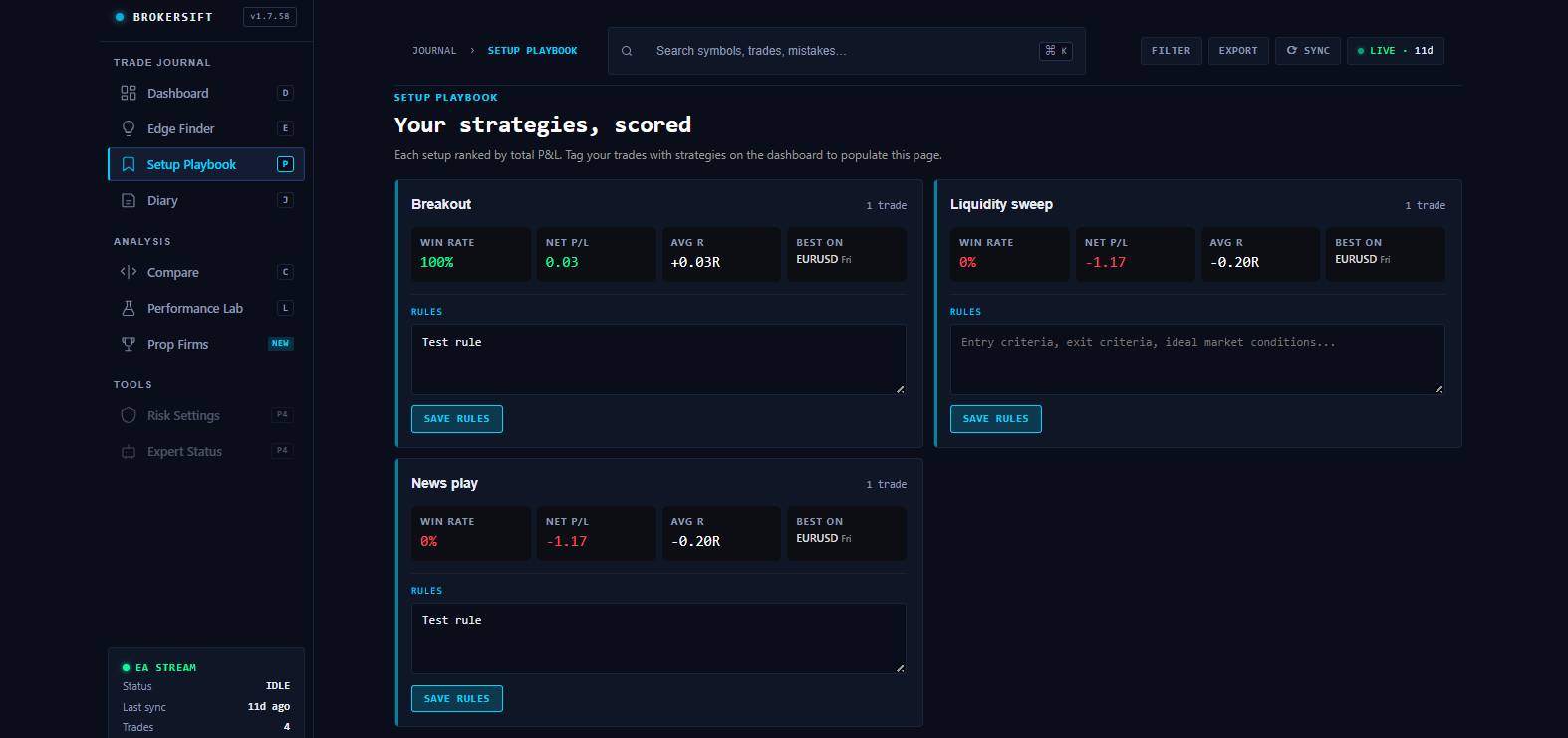
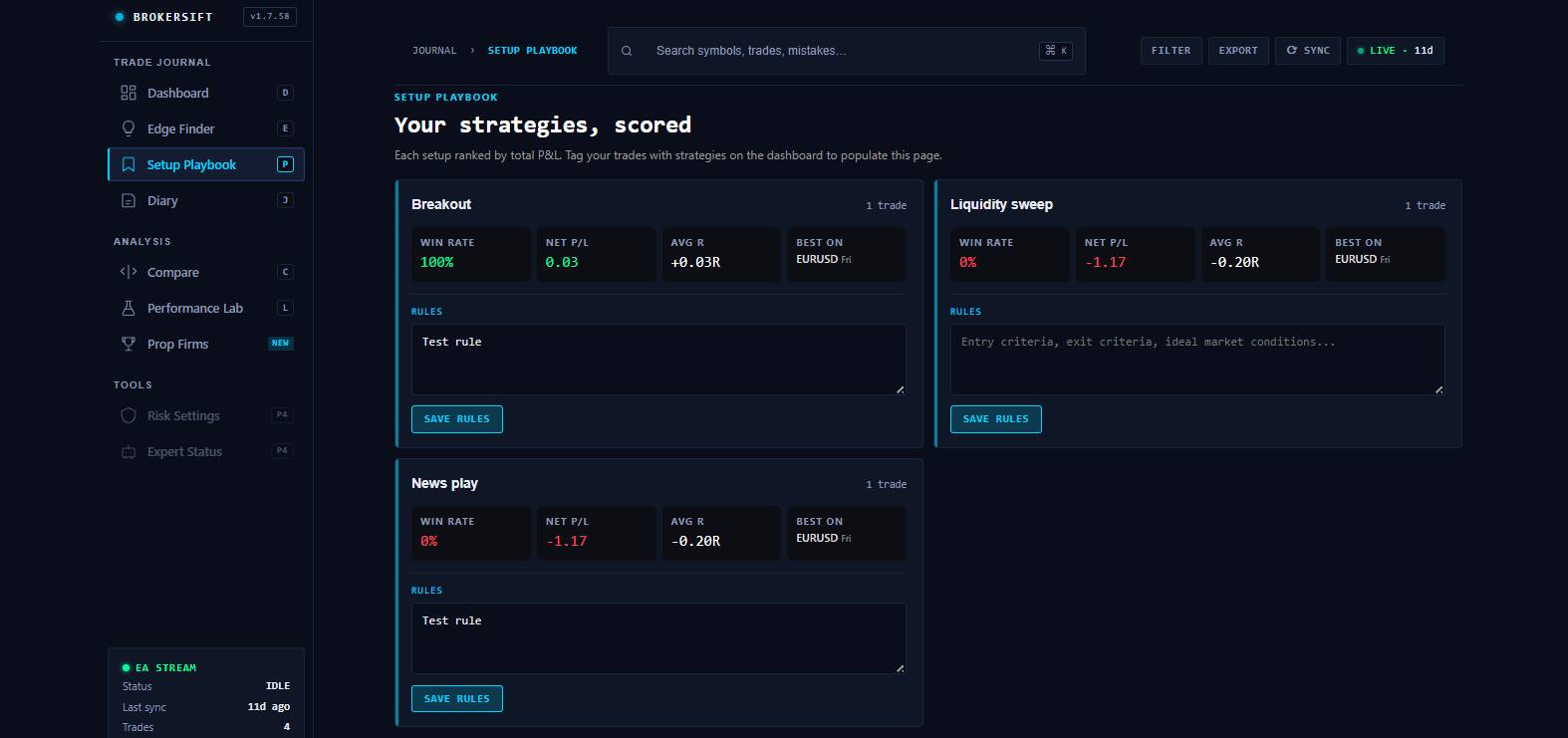
Compare strategies, sessions, symbols, and conditions to see which setups deserve more attention and which should be reduced.
Review routine
Build daily, weekly, and monthly review blocks that turn scattered trade history into a structured improvement loop.
Trader psychology
Connect emotions, confidence, discipline, and checklist quality directly to your trading outcomes.
From raw trades to a better trading process
A good journal should not become busywork. The goal is to move from capture to review to action as quickly as possible.
Import or record
Bring trades into the journal, then attach screenshots, notes, tags, and setup context.
Tag the decision
Mark the setup, session, rule quality, mistake type, emotion, and confidence behind each trade.
Review the data
Use reports to find patterns by symbol, time, strategy, side, entry quality, and exit management.
Create the next action
Turn the review into one clear rule, checklist change, risk adjustment, or setup filter for the next session.
Show the journal in motion, not as a static brochure
This section lets visitors click through the core value of the product: performance review, discipline review, and playbook building. It is designed to feel interactive, modern, and conversion-friendly.
Performance lens
Reveal what actually moves results: expectancy, session quality, and setup-level profitability.
Give visitors a mini product experience before they click
Journal edge score
Adjust the trader inputs and let the landing demonstrate how the journal turns behavior into a clear improvement signal.
Your current profile shows a strong foundation. The next lift comes from better exit review and tighter emotional control during lower-quality sessions.
Reduce lower-quality trades and review exit management before increasing size.
Balanced. Keep risk consistent while the playbook gets cleaner.
Command center preview
A high-end landing should feel like a product. This preview combines radar and mode cards in a cleaner dashboard layout without depending on external libraries.
Smart trade replay
Reconstruct a trade with screenshots, notes, tags, emotions, and rule quality in one visual story.
Leak detector
Show which behavior costs the most: early exits, oversizing, boredom trades, or setup drift.
Weekly mission
Turn analytics into a clear focus item instead of leaving the trader with a wall of numbers.
Setup library
Group the best repeatable patterns into a practical playbook that gets cleaner over time.
Switch trader profiles and let the landing adapt in real time
The simulator section adds another layer of interactivity: visitors can jump between trader profiles, see the score change, and understand how the journal responds to different strengths and weaknesses.
Journal operating system preview
Click a trader persona and watch the landing adapt like a product demo. Presets update the live sliders above, reshape the edge score, and change the guidance below.
Fast-paced scalper
Great speed, weaker patience, and noisy late-session behavior.
Reduce impulse re-entries and tighten session cut-off rules.
Medium risk posture. Keep size capped until consistency stabilizes.
Late-session trades are eroding process quality faster than strategy quality.
Progress matrix
These bars react to the active profile and the live score engine.
Mistake heatmap
Click a cell to preview the kind of insight the journal can surface.
The highest-cost cluster appears after a first loss and before the session is cut off.
Show the transformation, not just the feature list
Scattered notes, unclear lessons
Trades are remembered emotionally, screenshots are separated from context, and the same mistakes keep repeating without a measurable improvement path.
Clean signals and one next action
The journal connects outcomes, discipline, market context and behavior into a clear improvement loop that the trader can repeat.
Stop relying on emotional recall and show the trade story with context, rules, screenshots and execution notes.
Separate lucky wins from good decisions so the trader can improve the system, not just chase outcomes.
Turn each review into a ranked set of leaks, strengths and one next-session mission.
The visitor interacts with the transformation instead of only reading a feature description.
A review loop that feels alive
The section is now presented as a more graphical and product-like review loop: visitors can click each stage, follow the orbit, and understand how the journal transforms raw trades into a repeatable improvement system.
Save the trade story
Entry, exit, chart, reason, emotion, checklist and execution quality are stored as one connected record.
The journal keeps this part of the workflow visible so the trader never loses context.
This stage transforms raw activity into something structured and reviewable.
The loop becomes practical because every stage produces a usable artifact.
The trader moves from a raw experience to a cleaner decision system instead of repeating the same mistakes blindly.

Find the trades, times, and setups that drive your results
The analytics section is built for dashboards, report cards, trade breakdowns, and performance segmentation. Replace the preview image with your own product image later.
Time-of-day review
Spot when performance drops, where boredom trades appear, and which sessions produce cleaner execution.
Instrument breakdown
Separate your best symbols and markets from low-quality noise before adding more risk.
Exit performance
Compare actual exits against best potential outcomes to reveal early exits and poor trade management.
Make discipline and emotions visible
Track the qualitative side of trading: confidence, stress, impulsive entries, checklist quality, rule breaks, and post-trade reflections.
Mistake library
Group repeated behavior leaks so the trader can see what costs the most money.
Checklist quality
Measure whether the trade followed the plan before judging only the profit or loss.
Diary and review
Keep session reflections beside the numbers so progress becomes visible over time.

Built for multiple markets and workflows
Use this section for broker/platform logos, import partners, supported markets, or manual upload options.
Who the journal helps most
New traders
Create structure before bad habits become normal.
Break-even traders
Find leaks in exits, timing, risk, and rule discipline.
Profitable traders
Optimize the setups and sessions where the edge is strongest.
What traders should review every week
Best and worst setups
Which strategies deserve more size, more patience, or removal?
Rule breaks
Which mistakes repeat and how much do they cost?
Session quality
Which hours, days, and conditions produce clean execution?
Next-week focus
What one measurable behavior should improve next?
Trading journal FAQ
Is this a real journal app?
This is a landing page structure for the journal section of Brokersift. The design is ready for content, screenshots, CTAs, motion, and future product integration.
Can I change the screenshots?
Yes. The image URLs are editable from the Brokersift Landing Content metabox on this page. Replace them with your own images whenever you want.
Is the content editable like other landings?
Yes. The journal page uses the same page-level landing content system as the other Brokersift landings.
Stop guessing what went wrong. Review the trade, the setup, and the behavior.
Use this landing as the public entry point for the Brokersift journal section, then connect the CTA to your journal app, form, waitlist, or product page.